Step 2 of 6
Your first workout
Logging sets without breaking flow — the rest timer, the plate calculator, how to check any lift, and the six workout modes.
You’ve got a plan. This is the guide that turns it into a session you actually finish. BeCapable is built so logging stays out of your way — big numbers, few taps, no spreadsheet. The app holds the details so your head can stay on the lift.
Open the app and start
Your next workout is waiting on the home screen — you don’t go hunting for it. Tap in and you’re looking at today’s session: the exercises, the target sets and reps, and the weight BeCapable expects you to hit based on your baseline and how recent sessions have gone.
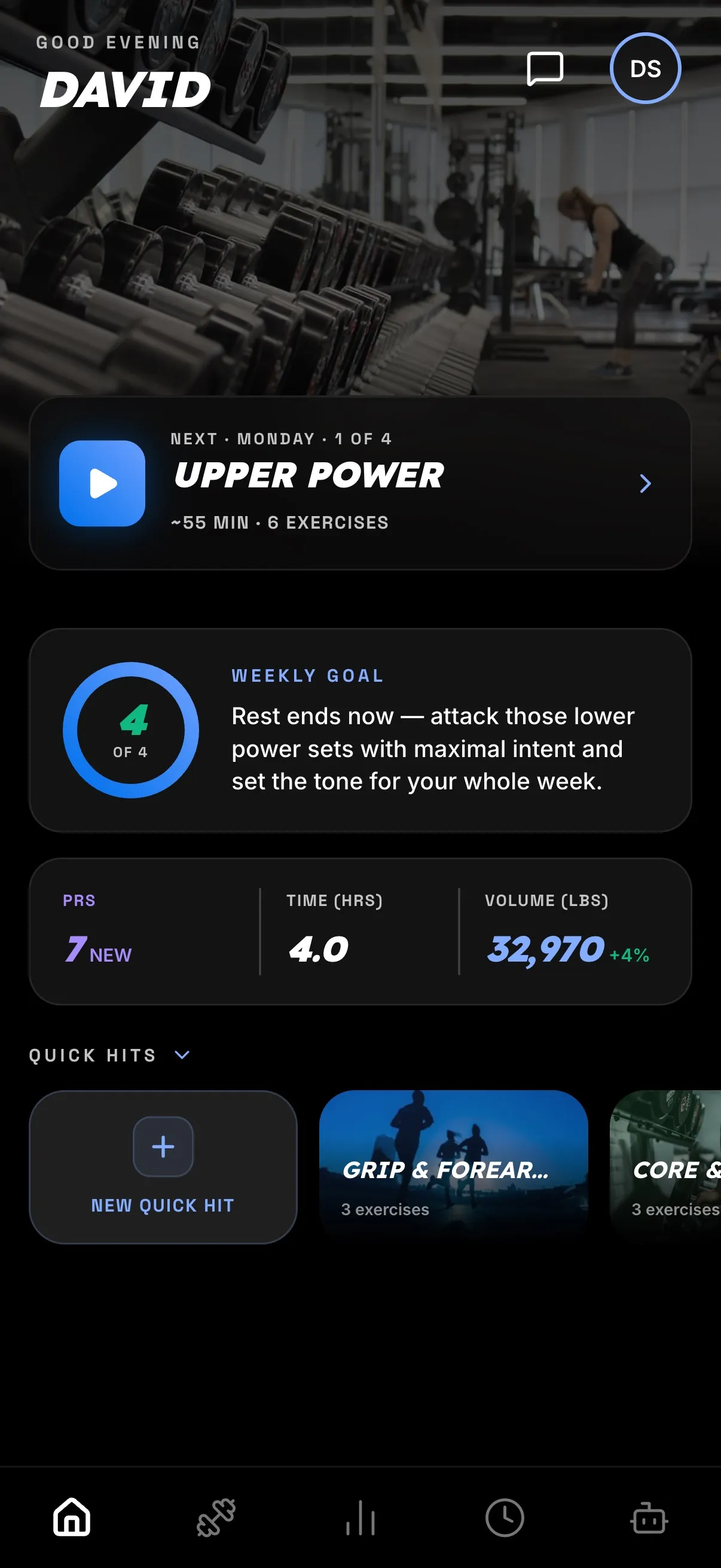
There’s no setup ritual before you lift. The plan already knows what today is, so starting a workout is a single tap. If you want to see what’s coming later in the week you can, but you never have to think past the session in front of you.
It’s already set up for its mode
Not every session is straight sets, and BeCapable doesn’t pretend they are. It supports six workout modes, all on the free tier, and each one tracks the way it’s meant to be trained:
- Standard — straight sets and reps, the classic strength format.
- Circuit — move through a sequence of exercises with minimal rest.
- Tabata — 20 seconds on, 10 off, repeated; short and intense.
- AMRAP — as many rounds or reps as possible in a set window.
- EMOM — every minute on the minute; a new effort starts each minute.
- Flow — guided sequences of timed holds for mobility and flexibility work.
You don’t set any of this up. The coach picks the right mode for each session when it builds your plan, so the workout you open is already configured for how it’s meant to be trained — a Tabata block comes with its interval clock, an AMRAP with its round counter, a Flow session ready to walk you through the holds, instead of everything crammed into a sets-and-reps grid. The screen matches the work in front of you. (Build a workout by hand and you choose the mode yourself; either way the app brings the timers and counters that mode needs.)
Log a set
Finish a set, log it. The numbers are large and thumb-friendly so you can tap through mid-workout without losing your place:
- Weight and reps are pre-filled with the target — hit it and confirm, or adjust if the day felt different. No typing from scratch between sets.
- The rest timer starts on its own between sets, so you’re not watching a clock or guessing when to go again.
- The plate calculator tells you what to load on the bar, so there’s no mental math under fatigue.
- PRs are caught automatically — beat a previous best and BeCapable flags it in the moment, without you tracking it by hand.
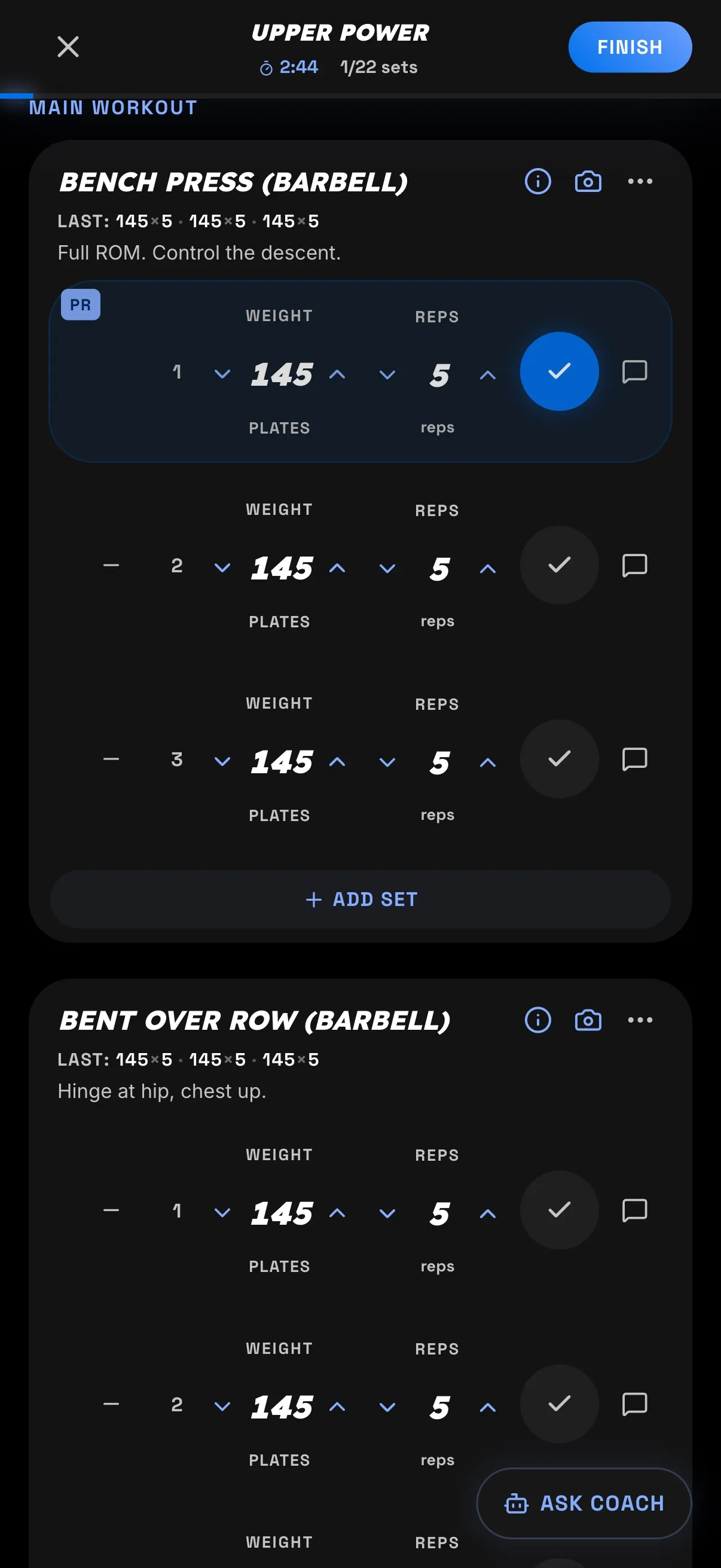
The point is to keep you moving. Log, rest, next set — the app keeps the numbers so nothing pulls you out of the workout. By the time you rack the last set, the whole session is already recorded and folded into your history.
Not sure how a lift goes?
If the plan hands you a movement you haven’t done before, you don’t have to leave and go searching. Every exercise carries a few tools right where you’re logging it:
- See how it’s done. Tap the info icon on any exercise and it opens YouTube right to form videos for that exact movement — a spread of short tutorials, so you can pick the one that makes the most sense to you instead of being handed a single canned clip.
- Ask the coach. The Ask Coach button sits at the bottom of the screen the whole workout, and it opens already knowing which exercise you’re on. “How should this feel?” or “where should I brace?” gets a straight answer without breaking your session.
- Check your form. Tap the camera icon on a lift to record a set and get form review — the coach reads the movement itself and tells you what’s solid and what to fix. It’s the closest thing to a trainer glancing over at your bar.
Between the demo, the coach, and form review, an unfamiliar exercise is a thing you learn mid-session, not a reason to skip it.
What’s next
You know how to train a session. Now make the plan yours — adjust your equipment, goals, and the plan itself so it keeps fitting you as things change.